Within Business Tools
How Long Does CRM Setup Really Take?
A useful CRM review explains not just features, but how long a small team needs to import contacts, set permissions, and start using it.
On this page
- From spreadsheet contacts to usable records
- Permissions, pipelines, and first workflows
- Warning signs that setup will stall
Page outline Jump by section
Introduction
For a small team, CRM setup is rarely measured in months, but it is almost never as quick as simply creating an account. A realistic implementation for a business moving from spreadsheets to a usable sales system is often anywhere from a single day for a very simple deployment to two or three weeks for a well-prepared team, with longer timelines when data needs cleaning, permissions require careful planning, or integrations are involved. The difference between a successful rollout and an abandoned CRM is usually not the software itself but the quality of the first setup. That makes implementation time an important factor for affiliate comparisons, because buyers are often choosing between tools that appear similar on features but differ significantly in onboarding effort.[Pipedrive+2Bigin by Zoho CRM]pipedrive.comUltimate CRM Onboarding Best Practices GuideFebruary 13, 2024 — On average, CRM onboarding takes a few days or weeks for a small…
 Rather than promising unrealistic “five-minute setup” experiences, useful CRM reviews should explain where time is actually spent: importing contacts, configuring user permissions, building sales pipelines, and ensuring that everyone uses the same process from day one.
From Spreadsheet Contacts to Usable Records
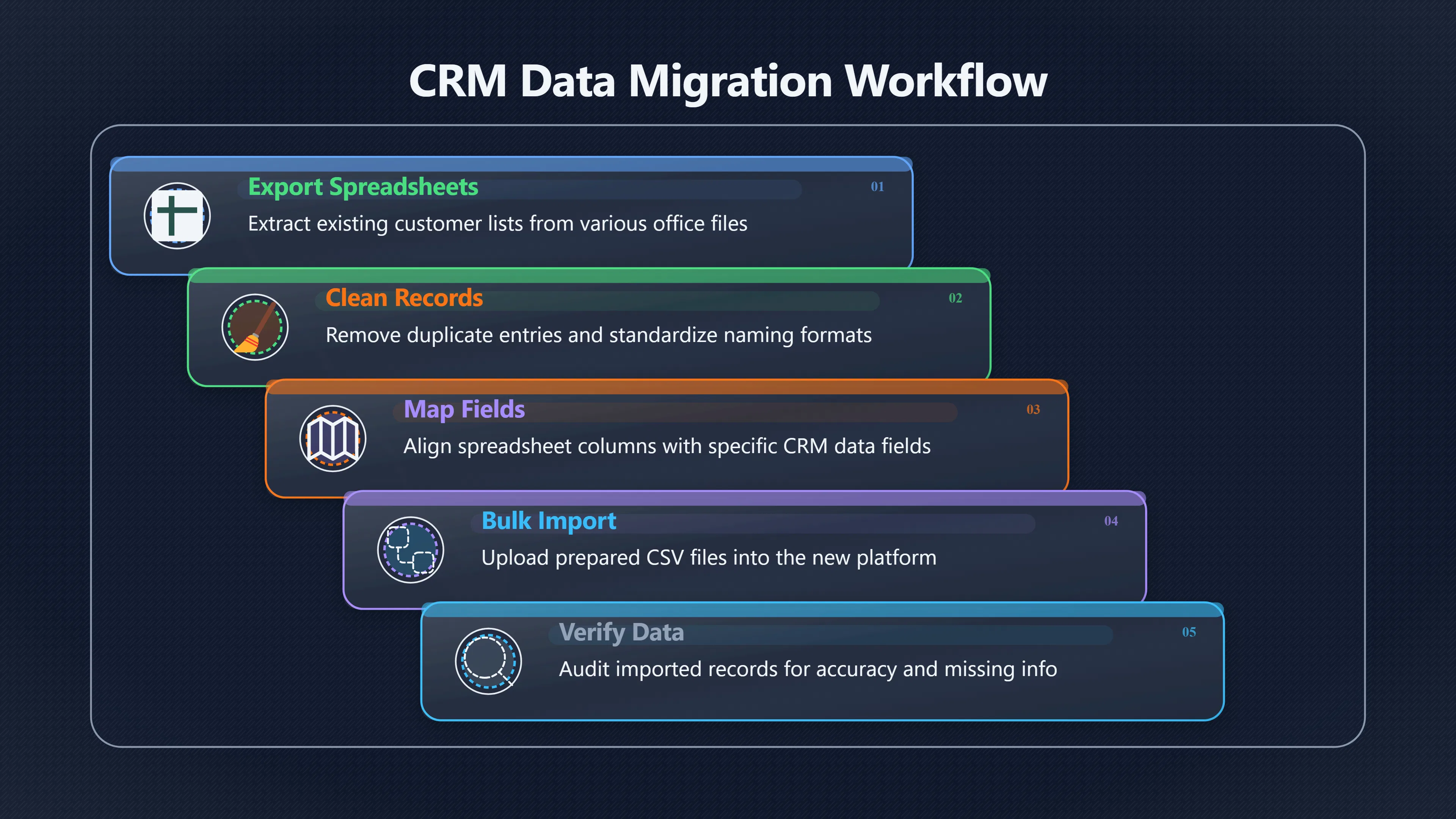
Most small businesses begin with customer information scattered across spreadsheets, email accounts and notebooks. Importing those contacts into a CRM is technically straightforward in most modern platforms, but preparing the data usually takes considerably longer than the upload itself.
Before importing, teams typically need to:
- Remove duplicate contacts.
- Standardise company and contact names.
- Ensure email addresses and telephone numbers use consistent formats.
- Decide which spreadsheet columns should become CRM fields.
- Remove obsolete or inactive records.
Most major CRM platforms, including HubSpot, support bulk CSV imports and provide field mapping tools. More advanced imports can preserve relationships between contacts, companies and deals, but these require additional preparation to avoid broken associations.[HubSpot Knowledge Base+2HubSpot Knowledge Base]knowledge.hubspot.comimport objectsHubSpot Knowledge BaseImport records for multiple objectsMar 23, 2026 — In your HubSpot account, navigate to Data Management > Data Integ…
For a team with a few hundred reasonably clean contacts, the import itself may take less than an hour. Cleaning inconsistent spreadsheets often takes several hours or even multiple working sessions, particularly if different employees have maintained separate customer lists.
A practical expectation for many small businesses is:
TaskTypical effortExport existing spreadsheets15–30 minutesRemove duplicates and clean records2–8 hoursMap fields and import data30–90 minutesVerify imported records1–2 hours
This preparation is one of the least glamorous parts of CRM adoption, but it has one of the biggest long-term effects on user confidence. If staff immediately encounter duplicate companies, incomplete records or missing owners, they quickly lose trust in the system.
Permissions, Pipelines, and First Workflows
Once contacts exist inside the CRM, the next stage determines whether the software becomes genuinely useful.
User permissions should be simple at first
Many small teams make the mistake of over-engineering security before anyone has learned the system.
Modern CRMs allow administrators to control access to contacts, deals, companies and other objects, often with different viewing and editing permissions for each user or team. Those controls are valuable, but for businesses with only three to ten staff members, a simple permission structure is normally easier to maintain than dozens of custom roles.[HubSpot Knowledge Base]knowledge.hubspot.comHubSpot Knowledge BaseHubSpot user permissions guideThe following CRM objects and activities have customizable permissions: Contacts; Com…
A typical first-day setup might include:
- One administrator.
- Sales staff with access to deals and contacts.
- Managers with reporting access.
- Restricted access for temporary or external users if required.
More complex permission models can be introduced later once normal working patterns are established.
Pipelines should reflect reality
One of the quickest ways to delay implementation is attempting to model every possible sales scenario before the first customer is entered.
Small businesses usually benefit from starting with five to seven clearly defined pipeline stages rather than dozens of highly specific statuses. A straightforward sequence such as:
- New enquiry
- Qualified
- Proposal sent
- Negotiation
- Won
- Lost
is often sufficient during the first weeks.
Most CRM platforms allow additional stages, multiple pipelines and automation to be added later as sales processes mature.[HubSpot Knowledge Base]knowledge.hubspot.comset up and customize pipelinesHubSpot Knowledge BaseSet up and manage object pipelinesMar 30, 2026 — You can create deal pipelines to track revenue, ticket pipelines t…
Keep early automation limited
Automation is attractive because it promises to reduce manual work, but excessive automation during implementation often creates confusion.
Useful first-week automations include:
- Assigning new enquiries to the correct salesperson.
- Creating follow-up reminders.
- Sending internal notifications.
- Creating basic sales tasks.
Advanced lead scoring, branching workflows and complex approval processes are generally better introduced after the team has spent several weeks using the CRM successfully.
What a Realistic Timeline Looks Like
Vendor marketing frequently highlights rapid deployment, and simple CRMs genuinely can be operational within hours for very small organisations. However, practical implementation usually extends beyond account creation because businesses need to adapt existing processes.
A realistic progression for a small team might resemble:
TimePrimary activitiesDay 1Account creation, basic settings, invite usersDays 2–3Clean and import customer dataDays 3–5Configure pipelines, custom fields and permissionsWeek 2Train staff, test workflows and refine processesWeeks 2–4Resolve issues, adjust reports and encourage consistent use
Industry implementation guidance aimed at small and medium businesses commonly estimates a few days to several weeks for straightforward CRM onboarding, while more customised deployments extend further depending on integrations and workflow complexity.[Pipedrive+2Bigin by Zoho CRM]pipedrive.comUltimate CRM Onboarding Best Practices GuideFebruary 13, 2024 — On average, CRM onboarding takes a few days or weeks for a small…
For affiliate comparisons, this distinction matters. Two CRMs may advertise similar features, yet one may require substantially more configuration before a small team reaches everyday productivity.
Warning Signs That Setup Will Stall
Implementation delays usually have organisational rather than technical causes.
The most common warning signs include:
- Dirty customer data. Duplicate records, inconsistent naming and incomplete information slow imports and reduce confidence.
- No agreed sales process. If employees cannot agree what counts as a qualified lead or a closed deal, the CRM simply reflects that confusion.
- Too much customisation too early. Excessive custom fields, automation and permissions increase training time without immediate business value.
- No ownership. Successful implementations usually have one person responsible for data quality and system administration, even in businesses with only a handful of employees.
- Insufficient training. Staff who receive only login credentials without practical guidance often continue using spreadsheets or personal notebooks.
Research into software implementation has also shown that poor implementation is closely associated with buyer regret. Capterra’s UK research found that organisations experiencing implementation disruption were much more likely to regret their software purchase, reinforcing that successful onboarding is as important as feature selection.[Capterra]capterra.co.ukCapterra CRM for Small BusinessesCRM for Small Businesses - Price Comparison & ReviewsCompare the best CRM for Small Businesses in the UK. Capterra offers the mos…
What Affiliate Reviews Should Tell Readers
A CRM review aimed at small-business buyers becomes more valuable when it discusses implementation effort instead of simply listing features.
Useful comparisons should answer questions such as:
- Can a two-person business realistically go live in a day?
- How much spreadsheet cleaning is usually required?
- Are permission settings easy for non-technical administrators?
- Does the default sales pipeline work well without major customisation?
- Which features genuinely need setup before the team can begin selling?
These practical questions often influence long-term satisfaction more than differences in marketing features. For many small businesses, the CRM that reaches reliable daily use within one or two weeks is likely to deliver more value than a more powerful platform that requires months of configuration before anyone trusts it enough to abandon the spreadsheet.
Amazon book picks
Further Reading
Books and field guides related to How Long Does CRM Setup Really Take?. Use these as the next step if you want deeper reading beyond the article.
The Lean Startup
Rating: 3.0/5 from 33 Google Books ratings
Supports iterative implementation, rapid testing, and incremental process improvements during CRM adoption.
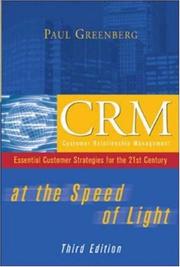
CRM at the speed of light
Covers CRM strategy, implementation, adoption, and practical rollout considerations beyond software selection.
The CRM handbook
Explains planning, data migration, process design, and deployment challenges that affect setup timelines.

Managing the professional service firm
Helps teams understand implementation planning, change management, and service operations during software rollouts.
eBay marketplace picks
Marketplace Samples
Live-tested eBay searches with available results related to this page.




Endnotes
1.
Source: pipedrive.com
Link:https://www.pipedrive.com/en/blog/crm-onboarding
Source snippet
Ultimate CRM Onboarding Best Practices GuideFebruary 13, 2024 — On average, CRM onboarding takes a few days or weeks for a small...
Published: February 13, 2024
2.
Source: bigin.com
Title: How long it takes to implement a CRM
Link:https://www.bigin.com/small-business-express/How-long-it-takes-to-implement-a-CRM.html
Source snippet
Bigin by Zoho CRMHow long it takes to implement a CRM: A step-by-step guide16 Jul 2024 — Small businesses with few external stakeholders...
3.
Source: knowledge.hubspot.com
Title: import objects
Link:https://knowledge.hubspot.com/import-and-export/import-objects
Source snippet
HubSpot Knowledge BaseImport records for multiple objectsMar 23, 2026 — In your HubSpot account, navigate to Data Management > Data Integ...
4.
Source: knowledge.hubspot.com
Link:https://knowledge.hubspot.com/import-and-export/set-up-your-import-file
Source snippet
HubSpot Knowledge BaseFormat import filesLearn how to set up your import files with technical requirements, limits, and required fields...
5.
Source: knowledge.hubspot.com
Title: manage your crm database
Link:https://knowledge.hubspot.com/get-started/manage-your-crm-database
Source snippet
HubSpot Knowledge BaseManage your CRM databaseJan 10, 2026 — An overview of how to set up your CRM database. Create and view records, set...
6.
Source: knowledge.hubspot.com
Link:https://knowledge.hubspot.com/user-management/hubspot-user-permissions-guide
Source snippet
HubSpot Knowledge BaseHubSpot user permissions guideThe following CRM objects and activities have customizable permissions: Contacts; Com...
7.
Source: knowledge.hubspot.com
Title: manage user permissions
Link:https://knowledge.hubspot.com/user-management/manage-user-permissions
Source snippet
HubSpot Knowledge BaseManage user permissionsMar 11, 2026 — Learn how to make changes to permissions for users in your HubSpot account. Y...
8.
Source: knowledge.hubspot.com
Title: set up and customize pipelines
Link:https://knowledge.hubspot.com/object-settings/set-up-and-customize-pipelines
Source snippet
HubSpot Knowledge BaseSet up and manage object pipelinesMar 30, 2026 — You can create deal pipelines to track revenue, ticket pipelines t...
9.
Source: knowledge.hubspot.com
Title: bulk edit records
Link:https://knowledge.hubspot.com/records/bulk-edit-records
Source snippet
edit recordsApr 7, 2026 — Learn how you can edit property values for records such as contacts, appointments, and deals in bulk...
10.
Source: community.hubspot.com
Link:https://community.hubspot.com/t5/Free-Welcome-to-the-HubSpot-Free/ct-p/free
Source snippet
Welcome to the HubSpot Free Community!Browse topics tailored to Free customers. Improve your growth strategies, master your go-to-marke...
11.
Source: knowledge.hubspot.com
Link:https://knowledge.hubspot.com/crm/topics
Source snippet
Import contacts on the HubSpot mobile app · View and analyze past imports... Manage settings for the companies, leads, and deals tabs in...
12.
Source: community.hubspot.com
Link:https://community.hubspot.com/t5/CRM/Best-Practices-for-Checking-and-Adding-Contacts-to-HubSpot/m-p/1010574
Source snippet
Practices for Checking and Adding Contacts to HubSpot16 Jul 2024 — To efficiently cross-check and import a list of contacts into HubSpot...
13.
Source: knowledge.hubspot.com
Title: export records
Link:https://knowledge.hubspot.com/import-and-export/export-records
Source snippet
your records16 Mar 2026 — You can export your records (e.g., contacts, deals) in your HubSpot account. This downloads their current prope...
14.
Source: knowledge.hubspot.com
Title: restrict view edit access for properties
Link:https://knowledge.hubspot.com/properties/restrict-view-edit-access-for-properties
Source snippet
view and edit access for propertiesApr 2, 2026 — Learn how to set property level view and edit permissions to restrict HubSpot properties...
15.
Source: community.hubspot.com
Link:https://community.hubspot.com/t5/CRM/5-Handy-Tips-when-Importing-Contacts-amp-Companies/m-p/476482/highlight/true
Source snippet
hubspot.comRe: 5 Handy Tips when Importing Contacts & CompaniesWorking with customers directly, I find that they are often daunted by imp...
16.
Source: knowledge.hubspot.com
Title: add hubspot users
Link:https://knowledge.hubspot.com/account-management/add-hubspot-users
Source snippet
HubSpot usersApr 1, 2026 — In your HubSpot account, click the settings settings icon in the top navigation bar. · In the left sidebar men...
17.
Source: community.hubspot.com
Link:https://community.hubspot.com/t5/CRM/What-are-the-recommended-steps-to-set-up-HubSpot-for-a-small/m-p/1155568
Source snippet
Make sure to import your existing customers and prospects cleanly, with key info like emails, phone...Read more...
18.
Source: zoho.com
Link:https://www.zoho.com/sites/zweb/images/crm/ebooks-implementation-guide-sme.pdf
Source snippet
Zoho CRM Implementation Guide for Small and Medium...This guide will benefit those users who are responsible for administering the CRM s...
19.
Source: youtube.com
Link:https://www.youtube.com/watch?v=UllTSxVpTvg
Source snippet
Pipedrive CRM Tutorial: How To Use Pipedrive For Beginners...
20.
Source: youtube.com
Title: Pipedrive CRM Tutorial: How To Use Pipedrive For Beginners
Link:https://www.youtube.com/watch?v=_LRTEaWVlKc
Source snippet
CRM implementation timeline small business ManoByte CRM Implementation Process and Timeline Swimming With Sharks...
21.
Source: capterra.co.uk
Title: Capterra CRM for Small Businesses
Link:https://www.capterra.co.uk/directory/31583/small-business-crm/software
Source snippet
CRM for Small Businesses - Price Comparison & ReviewsCompare the best CRM for Small Businesses in the UK. Capterra offers the mos...
Additional References
22.
Source: coffee.ai
Link:https://www.coffee.ai/articles/automated-crm-onboarding-best-practices
Source snippet
12 Automated CRM Onboarding Best Practices for Sales TeamsMaster automated CRM data entry onboarding with proven strategies that save 8-1...
23.
Source: linkedin.com
Link:https://www.linkedin.com/posts/shruti-kirti-5b7721105_5-top-rated-crm-software-for-small-businesses-activity-7265923270032449536-3fVg
Source snippet
5 Top-Rated CRM Software for Small Businesses | CapterraSome popular options include Salesforce, HubSpot, and Zoho CRM, each with their s...
24.
Source: notelinker.com
Link:https://www.notelinker.com/blog/crm-best-practices
Source snippet
CRM Best Practices: 10 Rules That Keep Your Pipeline...5 days ago — The CRM best practices that actually move the needle: a single sourc...
25.
Source: slack.com
Link:https://slack.com/blog/crm/crm-implementation
Source snippet
CRM Implementation: A Step-by-Step Guide for TeamsLearn what CRM implementation involves, key steps to follow, and how teams use tools li...
26.
Source: smbcrm.com
Link:https://smbcrm.com/blog/the-best-practices-for-a-successful-customer-relationship-management-process/
27.
Source: consultevo.com
Link:https://consultevo.com/hubspot-pipeline-approvals-setup/
Source snippet
HubSpot pipeline approvals guide -This guide explains how to enable pipeline approvals, what they do, and how to configure them so only a...
28.
Source: tribecrm.eu
Link:https://tribecrm.eu/blog/how-to-implement-crm-software/
Source snippet
How to Implement CRM Software for Your BusinessFor an SME with 10 to 50 users, a realistic implementation timeline is 2 to 6 weeks depend...
29.
Source: linkedin.com
Link:https://www.linkedin.com/pulse/best-practices-crm-onboarding-satuit-technologies-a8omc
30.
Source: youtube.com
Link:https://www.youtube.com/watch?v=NhrROpccRsw
Source snippet
STOP Data Breaches: How To Set Up HubSpot User...In this [video]({{ 'video/' | relative_url }}), we break down exactly how the HubSpot user permission system works and t...
31.
Source: prospectsoft.com
Title: 8 CRM Setup Best Practices for Maximum ROI8 Best Practices for CRM Setup · 1
Link:https://www.prospectsoft.com/resources/blog/8-best-practices-for-crm-setup/
Source snippet
Outline your goals · 2. Engage with Onboarding · 3. Take advantage of automation · 4. Integrate with your back-office systems · 5...
Topic Tree